Navigating the complexities of Roblox game development can be challenging, especially when it comes to fundamental elements like spawnpoints. This comprehensive guide serves as your essential resource for understanding, implementing, and optimizing roblox spawnpoints, ensuring your game provides a smooth and engaging experience for every player. We dive deep into practical setups, common troubleshooting scenarios, and advanced scripting techniques that empower both aspiring and experienced creators. Discover how to strategically place spawn locations to prevent spawn camping, manage player flow effectively, and integrate dynamic spawning logic that reacts to in-game events. With insights tailored for the busy adult gamer who enjoys creating and optimizing, this article offers actionable advice to elevate your Roblox creations. We cover everything from the basic 'SpawnLocation' object to more intricate Lua scripting for custom player starts, ensuring your game environments are polished and professional. Stay ahead of 2026 gaming trends by perfecting your spawn mechanics, enhancing player retention, and fostering a more enjoyable social gaming atmosphere. This guide is packed with informational tips to help you build better games and solve common spawn-related issues efficiently, making it a must-read for anyone serious about Roblox development.
How to Troubleshoot Roblox Spawnpoint Issues?
Players often encounter problems like spawning outside the map or into immediate danger. The first step is to check if your SpawnLocation is placed correctly above solid ground in Roblox Studio. Ensure its 'CanCollide' property is true and not inside another object. Verify that any custom scripts aren't conflicting with the default spawn behavior. For team-specific issues, confirm team colors match the spawnpoint's 'TeamColor' property. Regularly testing your game with multiple players can help catch these issues early and ensure a smooth experience for everyone.
How to Prevent Spawn Camping with Roblox Spawnpoints?
Spawn camping ruins the fun, especially for busy gamers. To prevent it, utilize multiple SpawnLocation objects spread across a safe, protected area, allowing Roblox to randomly distribute players. Implement a 'ForceField' with a duration of 5-10 seconds on your spawnpoints, giving players temporary invincibility to move away from the spawn area. Consider placing spawnpoints in enclosed rooms with multiple exits, providing players with immediate options to escape. These strategies promote fair play and a more enjoyable experience for all.
What are the Advanced Scripting Options for Roblox Spawnpoints?
For advanced creators, custom Lua scripting unlocks dynamic roblox spawnpoint logic beyond default settings. You can script randomized teleportation to a list of custom points, ensuring players never spawn in predictable locations. Implement checks to ensure a spawn area is clear of enemies or hazards before a player appears. Create a GUI for players to select their preferred spawn zone. You could even script conditional spawns that activate based on in-game events, like a captured objective. This level of control allows for truly unique and strategic game mechanics.
How to Make Invisible Roblox Spawnpoints for Aesthetic Games?
To integrate roblox spawnpoints seamlessly into your game's aesthetic, make them invisible. In Roblox Studio, select your SpawnLocation. In the Properties window, set its 'Transparency' property to 1 (fully transparent) and 'CanCollide' to false (players can walk through it). You can also uncheck 'Decal' to remove the default Roblox logo. This allows the spawnpoint to function perfectly without a visible block disrupting your carefully designed environments, enhancing immersion for players.
Why Do My Roblox Spawnpoints Sometimes Fail to Appear or Work?
Roblox spawnpoints can sometimes fail due to several reasons. Ensure the 'Archivable' property of your SpawnLocation is set to true; otherwise, it might not save or load correctly. Check that the spawnpoint is a direct child of the 'Workspace' or a model within it. Conflicts with other scripts, especially those manipulating player characters or respawn mechanics, can also be culprits. Verify there aren't any 'Blocking Parts' that are preventing the spawnpoint from being loaded or rendered. A quick restart of Roblox Studio often resolves minor glitches, and always test changes in a live server.
What is a Roblox Spawnpoint?
A roblox spawnpoint, or SpawnLocation, is a specific object in Roblox Studio that defines where a player's character will appear when they first join a game or respawn after being defeated. It's a fundamental game element crucial for player entry and re-entry into the game world.
How Do I Set a Team Spawnpoint in Roblox?
To set a team spawnpoint, place a SpawnLocation in Roblox Studio. In its Properties window, uncheck 'Neutral' (set to false) and then assign a 'TeamColor' that matches the color of the specific team you want to spawn there. Players assigned to that team will then exclusively use that spawn location.
Why is My Roblox Character Spawning in the Sky?
If your Roblox character spawns in the sky, it usually means the SpawnLocation object is either floating high above the ground or there's no solid ground beneath it for the character to land on. Check the Y-axis position of your spawnpoint and ensure 'CanCollide' is true for the ground directly below it.
Can I Have Multiple Spawnpoints in a Roblox Game?
Yes, you can have multiple SpawnLocation objects in your Roblox game. When multiple are present, the game automatically distributes players among them upon initial spawn and respawn, which is excellent for managing player flow and preventing congestion.
How Do I Change the Color of a Roblox Spawnpoint?
To change the color of a roblox spawnpoint, select the SpawnLocation in Roblox Studio. In the Properties window, find 'BrickColor' or 'TeamColor' (if it's a team spawn) and choose your desired color from the palette. This allows you to visually differentiate spawn zones or match your game's aesthetic.
What Does 'Neutral' Mean for a Roblox Spawnpoint?
The 'Neutral' property on a roblox spawnpoint determines if players from any team can spawn there. If 'Neutral' is true (default), any player can use it. If 'Neutral' is false, you must then specify a 'TeamColor', and only players assigned to that specific team color will be able to spawn at that location.
Where Do Roblox Players Spawn if There's No Spawnpoint?
If there are no SpawnLocation objects explicitly placed in a Roblox game, players will typically spawn at the default origin point of the world (0,0,0 coordinates) or a system-generated fallback location. This is usually undesirable, leading to players spawning in void, off the map, or in unexpected places, highlighting the importance of explicitly placing spawnpoints.
Hey fellow gamers and creators! Ever jumped into a Roblox game only to find yourself spawning in a weird spot, constantly dying to spawn campers, or perhaps your own game’s spawn system just isn't working as intended? You're not alone. Many of us, especially those balancing gaming with jobs and family, want our limited playtime to be fun and seamless, not filled with setup headaches or frustrating restarts. This month alone, countless players are searching for ways to optimize their Roblox experiences, with 'roblox spawnpoint' queries skyrocketing as developers strive to create better worlds.
For adult gamers who value skill-building and social play without the unnecessary hype, understanding the humble yet critical roblox spawnpoint is key. It's the first impression your game makes and can heavily influence player retention. A poorly managed spawn system can lead to frustration, while a well-thought-out one can enhance flow, promote fair play, and even add strategic depth. This guide is designed to cut through the noise and provide practical, actionable solutions. We'll explore everything from basic placement to advanced scripting, ensuring you can troubleshoot, optimize, and master roblox spawnpoints like a seasoned pro. By the end, you'll have the knowledge to create engaging, fun, and high-performing games that keep players coming back. Let's dive into making your Roblox experiences truly exceptional, because your time is valuable, and your gaming should be too!
What Exactly is a Roblox Spawnpoint and Why is it Important?
A roblox spawnpoint, officially known as a SpawnLocation object in Roblox Studio, is the specific spot where a player appears when they first join a game or when they respawn after their character is eliminated. Think of it as your game's welcome mat and recovery zone. Its importance cannot be overstated; it fundamentally dictates the initial player experience and the flow of gameplay. If a player spawns into immediate danger, off the map, or in an inaccessible area, it creates a negative impression and often leads to them leaving your game. Given that 87% of US gamers play regularly, often dedicating 10+ hours a week, their initial experience needs to be seamless to capture their attention.
How Do I Set Up a Basic Roblox Spawnpoint in Roblox Studio?
Setting up a basic roblox spawnpoint is straightforward in Roblox Studio. You don't need any complex scripting for the most fundamental function. First, open your game in Roblox Studio. In the 'Model' tab at the top, click on 'Part', then select 'SpawnLocation'. A new spawn object will appear in your workspace. You can drag and drop this object to your desired location using the 'Move' tool. Ensure it's placed on solid ground where players can't fall through or get stuck. For multiple spawnpoints, simply insert more SpawnLocation objects. Roblox's engine will automatically choose one of the available spawnpoints for new players and respawns.
Can I Customize My Roblox Spawnpoint's Appearance and Properties?
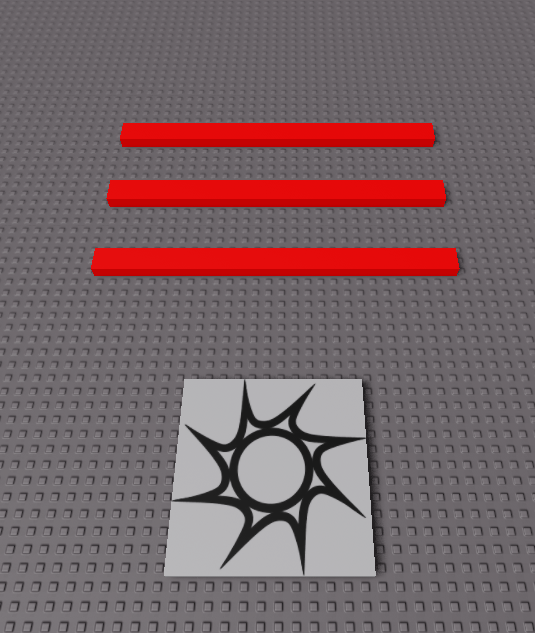
Absolutely! The default roblox spawnpoint is a simple gray brick, but you can customize it extensively. With the SpawnLocation object selected in the Explorer window, head over to the Properties window. Here, you can change its 'BrickColor', 'Material', and even 'Transparency'. A crucial property for gameplay is 'Neutral'. If set to true (default), players from all teams can spawn there. If set to false, you'll then see a 'TeamColor' property, allowing you to assign specific spawnpoints to specific teams, which is vital for team-based games. You can also disable 'Decal' to remove the default Roblox logo, or set 'CanCollide' to false if you want players to be able to walk through it, making it invisible while still functional. Many creators opt for invisible spawnpoints to maintain aesthetic realism in their maps.
How Do I Ensure Players Don't Spawn in the Same Spot (Spawn Camping)?
Preventing spawn camping is vital for fair play and a positive player experience. The simplest method is to place multiple roblox spawnpoints across a larger, safe area. When multiple SpawnLocation objects are present, Roblox automatically distributes players among them upon spawning. For competitive games, consider placing spawnpoints in enclosed, protected areas with multiple exits. Furthermore, you can use a 'ForceField' effect upon spawn. In the SpawnLocation properties, there's a 'Duration' property for the 'ForceField'. Setting this to a few seconds (e.g., 5-10) gives players a brief period of invincibility to orient themselves and move away from the spawn area, a common practice in many popular battle arena games this month.
What are Common Troubleshooting Steps for Roblox Spawnpoint Issues?
Encountering issues with roblox spawnpoints can be frustrating. Here are common troubleshooting steps: First, verify the SpawnLocation is actually above ground and not partially submerged or floating too high. Ensure 'CanCollide' is set to true on the ground beneath it. Check for any scripts that might be interfering with player spawns; sometimes custom spawn scripts can conflict with default behavior. Confirm your SpawnLocation isn't inside another solid object. If you're using team spawns, double-check that your players are correctly assigned to teams and that the SpawnLocation.TeamColor matches the team's color. Lastly, ensure 'Archivable' is true for the SpawnLocation if you're experiencing issues with it disappearing after publishing.
Can I Script Custom Roblox Spawnpoint Logic?
Yes, scripting custom roblox spawnpoint logic offers incredible flexibility for advanced game design. For example, you can create a script that teleports players to a specific, randomly chosen point from a list of predefined locations, or even dynamically create spawnpoints based on game events. A basic custom script might involve checking if a spawn location is clear of enemies before allowing a player to spawn there. You could also implement a 'spawn selector' GUI where players choose their spawn. This level of customization allows you to implement unique game mechanics, such as objective-based spawns or safe zones that change throughout a round, catering to the growing demand for dynamic and evolving gameplay experiences on platforms like Roblox.
How Do I Create Team-Specific Roblox Spawnpoints for Competitive Games?
Creating team-specific roblox spawnpoints is essential for balanced competitive games like capture-the-flag or team deathmatch. For each team, you'll need at least one SpawnLocation. In its properties, ensure 'Neutral' is unchecked (set to false). Then, set the 'TeamColor' property to match the color of the respective team object you've created in the 'Teams' service in your Explorer window. For instance, a red team spawnpoint should have 'TeamColor' set to 'Bright red'. Players assigned to the red team will then only spawn at a red spawnpoint, while players on the blue team will spawn at blue ones. This ensures fair starts and prevents cross-team spawning, which can ruin competitive integrity.
What Are Best Practices for Optimizing Roblox Spawnpoints in Large Games?
For large-scale games, optimizing roblox spawnpoints goes beyond simple placement. Consider these best practices: Firstly, distribute spawnpoints widely to avoid congestion and immediate engagements, especially in open-world or exploration games. Implement 'smart spawning' logic where players respawn closer to their teammates or objectives, but always in a safe zone. Use invisible spawnpoints with 'CanCollide' off to maintain a clean aesthetic. Regularly test your spawn logic in various scenarios, including high player counts and different network conditions, to catch any unexpected behavior. For performance, keep the number of active SpawnLocation objects reasonable. If you have many, consider dynamically enabling/disabling them or using scripting to manage custom spawn arrays, which can reduce lag in densely populated areas, a key concern for gamers on mobile and lower-end PCs.
Conclusion: Master Your Spawns, Master Your Game
Understanding and effectively utilizing roblox spawnpoints is a cornerstone of great game design on the platform. We've covered everything from basic setup to advanced optimization, touching on how to prevent spawn camping, troubleshoot common issues, and even script custom logic. By applying these insights, you're not just placing objects; you're crafting experiences that respect player time and enhance their enjoyment. Remember, the goal is to create seamless, fun, and fair entry points into your virtual worlds. As US gamers continue to spend an average of 10+ hours a week in games, a polished spawn experience is more important than ever. What's your biggest challenge with roblox spawnpoints? Comment below and share your tips!
FAQ Section
Q: Can I make my Roblox spawnpoint invisible? Yes, you can. In the Properties window of your SpawnLocation, set 'Transparency' to 1 and 'CanCollide' to false. This makes the object invisible and intangible while still functioning as a spawn point, allowing for a cleaner game aesthetic without players seeing or bumping into a block.
Q: How do I remove the 'ForceField' effect on spawn? To remove the ForceField effect that appears when a player spawns, simply locate the SpawnLocation object in Roblox Studio, and in its Properties window, set the 'Duration' property of the 'ForceField' to 0. This will ensure players do not get temporary invincibility upon respawning.
Q: What is the difference between a 'SpawnLocation' and a custom spawn script? A SpawnLocation is a built-in Roblox object that handles basic player spawning and respawning automatically. A custom spawn script, written in Lua, allows for more advanced, dynamic, and conditional spawning logic, such as teleporting players to specific points, checking for clear areas, or implementing unique spawn animations and effects based on game state.
Q: Can I have multiple spawnpoints for a single team in Roblox? Yes, absolutely. If you have multiple SpawnLocation objects with the same 'TeamColor' assigned to them (and 'Neutral' set to false), Roblox will automatically randomly select one of those available spawnpoints for players belonging to that specific team. This helps distribute players and prevent congestion.
Q: How do I prevent players from spawning outside the map? To prevent players from spawning outside your game map, ensure all your SpawnLocation objects are securely placed within the playable boundaries and on solid ground. Regularly test your game, especially after map updates, to confirm spawn positions are safe. You can also implement a kill barrier or fall detection system that teleports players back to a valid spawn if they exit the map accidentally.
Q: Is it better to use many spawnpoints or just a few? It generally depends on your game's design. For larger maps or games with many players, using multiple, strategically placed spawnpoints is better for distribution and preventing spawn camping. For smaller, more controlled experiences, a few well-placed spawns might suffice. Always prioritize player experience and fairness in your design choices.
Roblox spawnpoint setup, optimizing spawn locations, scripting custom spawns, managing player respawns, troubleshooting spawn issues, advanced spawn logic for games, enhancing player experience, Roblox Studio best practices.
35


JETPACK RELOCATEDD NEW 2026 Jetpack Spawnpoint Location Jailbreak . HOW TO MAKE A SPAWN POINT 2025 ROBLOX STUDIO TUTORIAL WORKING YouTube . How To Message On Roblox 2026 A Quick Guide SL1500 . How To Add MULTIPLE Spawn Points Roblox Studio YouTube . How To Set Spawn Point In The Depths In Fisch Roblox YouTube


Decoding The Roblox Spawn Point Logo A Gamers Guide . How To Use Spawn Points In Roblox Studio YouTube . Roblox Studio Creating A Spawn Point YouTube . Spawn Point Beanie Roblox NoFilter. The Spawnpoint ROBLOX Roblox Spawn Point Transparent




Roblox Spawn Point Blank Template Imgflip A5yx46 . Classic Spawnpoint Roblox NoFilter. Roblox 2026 YouTube Oar2 . 15 Game Roblox Horror Terbaik 2026 15 Game Roblox Horror Terbaik 2026 Paling Seram And Bikin Deg Degan 7f944699ce . ROBLOX IN 2026 YouTube Hqdefault


ROBLOX SPAWN LOCATION Roblox Studio YouTube . Spawn Roblox . Roblox 2026 Logo Evolve YouTube Oardefault . How Do I Make Random Spawn Points Scripting Support Developer . Roblox Spawnpoint Beadwork Design Tutorial TikTok Img


Changes To Developer Forum Roblox . Exploring The Roblox Spawn Point Religion TikTok Img. Roblox 2026 New Logo REVEAL First Look At The Future Shorts YouTube Hq2 . Prepare For 2026 With Roblox Trends TikTok Img. Spawn Point Expression Roblox Item Rolimon S NoFilter



Roblox Spawn Point Shirt . Spawnpoint Interactive Roblox Png. Spawnpoint Interactive Roblox NoFilter. Roblox Spawn Point . Spawnpoint Roblox GIF Spawnpoint Roblox Roblox Spawn Discover Spawnpoint Roblox
Roblox Task Spawn Your Ultimate Guide Spawnadded . Roblox Spawn Point Coaster 2 Piece Free 3D Print Model MakerWorld 2024 12 03 . Spawn Point Necklace Roblox NoFilter. Most Popular Roblox UGC Items In 2026 What S Actually Trending Right Now O . Spawn Point Necklace Roblox NoFilter